Porrter
See what your Mac is really doing.
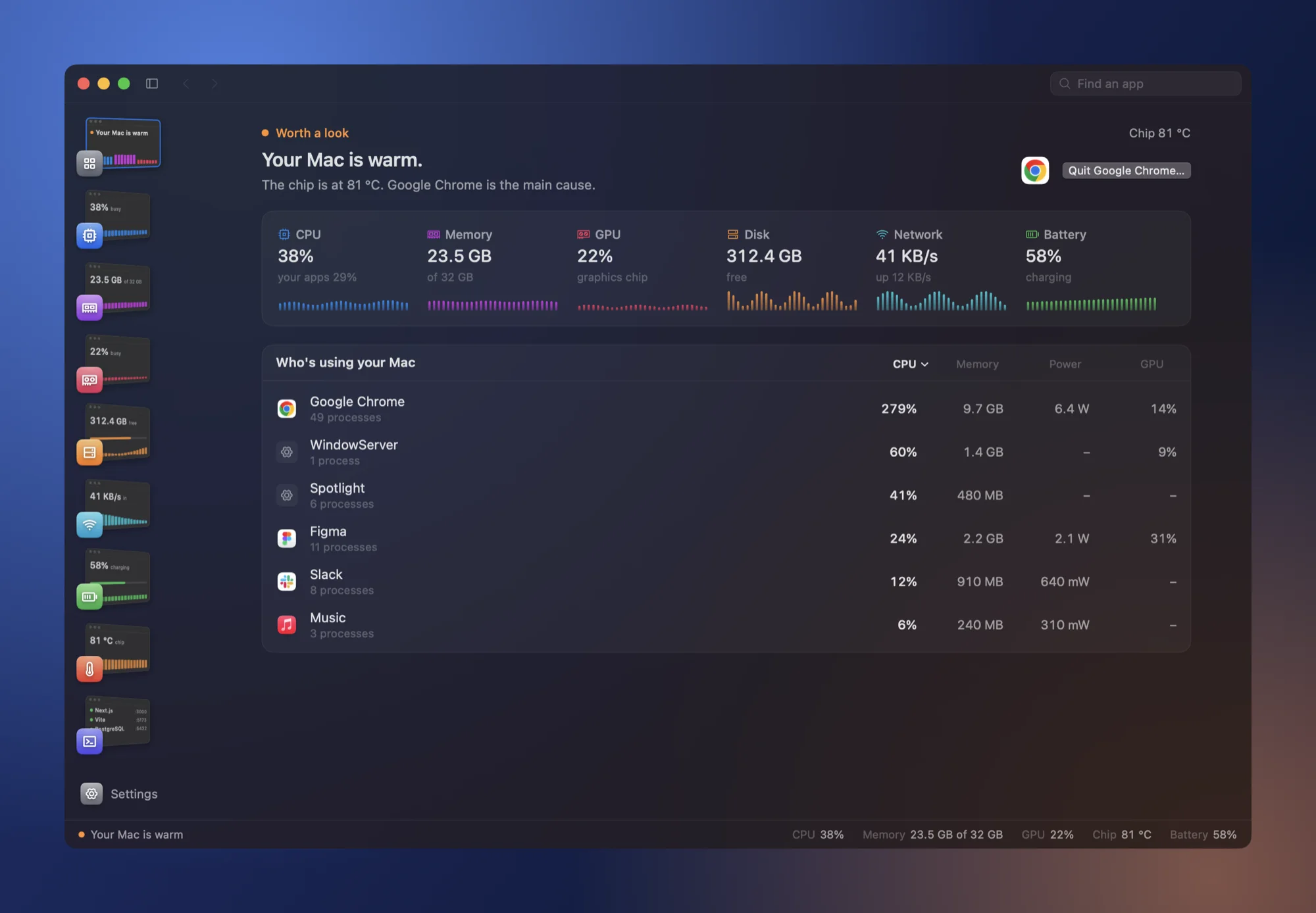
Porrter lives in your Mac's menu bar and opens into a full window. It tells you, in plain words, what is heating your Mac, filling its memory or keeping it busy, and what to do about it.
It is free, needs macOS 14 or later and updates itself. It is part of the theblanck tools, made by Taimoor Nasir.
What Porrter does
Why is my Mac so hot?
Porrter reads your Mac's temperature and power, names the app or the charger behind the heat, and tells you what to do about it.
Your Mac at a glance
CPU, memory, graphics, network, disk and battery each get a reading with the last hour drawn out. Hover any chart to see a moment. The numbers match Activity Monitor.
Plain words, not process names
Chrome's 49 helper processes show up as one Google Chrome. The process called mds_stores shows up as Spotlight, with a note that it stops by itself. You can quit what is safe to quit.
Built for developers too
Porrter lists every local server, grouped by project and branch, with its port and real memory use. Docker containers are included, and you can open, stop or restart any of them.
Who it is for
- Anyone whose Mac runs hot, loud or slow and who wants a clear reason instead of a list of process names.
- Developers who run several local servers and want to see which project owns which port and how much memory it uses.
Price and requirements
Free. Requires macOS 14 or later. The app updates itself.
Details checked on 6 November 2026. Current details are on porrter.com.